
Reverse Email Lookup
Paste any email address. Get the owner's name, social profiles, host trust score and any spam history we have on file. Free, instant, nothing to install.
Works for Gmail, iCloud, Yahoo, Outlook and any custom domain.
A reverse email lookup takes an address you do not recognise and tells you who is behind it: the owner's name, the social profiles tied to it, the trust score of the host, and any spam reports filed against the address. Paste a value into the form above and we cross-check public records, social networks and our own database of millions of previously checked emails.

The same lookup surfaces the host reputation, blacklist status and email-authentication setup behind the address. Those signals separate a legitimate sender from a phishing attempt, and most generic email-finder tools skip them.
Reverse email lookup vs. email verification
The two terms get used interchangeably, but they answer different questions. A reverse email lookup answers who: the person, the social footprint, the host reputation. An email verification answers whether: is the address syntactically valid, does the mailbox exist, will a message bounce. If you are evaluating an unknown sender in your inbox, you want a lookup. If you are cleaning a list of 50,000 addresses before a marketing send, you want verification. Both tools sit on Emailsherlock and complement each other.
What is a reverse email lookup? #
A reverse email lookup is the inverse of a normal contact search. You start with the address. The tool returns the person, the company or the network behind it.
Most people leave a trail. Forum posts, comment sections, mailing lists, profile signups: each one ties an address back to a real identity. We collect those traces from publicly available sources across multiple countries and consolidate them into a single profile. If the owner is active on social media, runs a website or has been quoted in public records, the lookup will surface it.
Whose email is this? If the answer sits anywhere in public, the lookup will get you closer. If it is a brand-new account on a freemail provider with zero footprint, the lookup will tell you that too: there is no trail to find.
What's in a lookup report #
A free Emailsherlock report assembles everything we have on a given address into one view:
-
Full name, where public
-
Social media profiles (Facebook, LinkedIn, Twitter, Instagram and others)
-
Host reputation and trust score
-
SPF, DKIM and DMARC posture of the sending domain
-
Blacklist status of the host's IP
-
Spam reports filed against the address
-
Disposable, freemail and catch-all classification
-
Public records, where indexed
-
Demographic and employment hints, where matched
Most looked-up emails in the last 30 days
| # | Lookups | |
|---|---|---|
| 1 | [email protected] | 707 |
| 2 | [email protected] | 642 |
| 3 | [email protected] | 215 |
| 4 | [email protected] | 212 |
| 5 | [email protected] | 182 |
| 6 | [email protected] | 116 |
| 7 | [email protected] | 97 |
| 8 | [email protected] | 95 |
| 9 | [email protected] | 91 |
Snapshot Jun 21, 2026 23:11. Open the full last-30-days list.
What data you get back #
An email address is often the only handle you need to identify someone. From there a lookup can return a name, a city, a phone number, a list of linked social accounts, and the broader contact graph that ties them together. Some people call this an "email background check". Same idea, narrower scope.
The free version returns less depth than a paid investigative service. It is a good starting point: most of the time it answers the only question you actually had.
When the address is tied to public records, the report can extend into court filings or business registrations. That is the moment the lookup turns from "who is this" into "should I trust this".
Six free reverse lookup methods you can run yourself #
Some methods stop at the surface. Others go deeper and pull employer, IP or revenue data. The six below cover the ground most investigators do by hand: Gmail, Hotmail and MSN searches, plus the domain side.
1. Google search
The simplest first move. Drop the address into Google and the engine pulls back any page that quotes it: profile pages, mailing lists, GitHub commits, support threads.
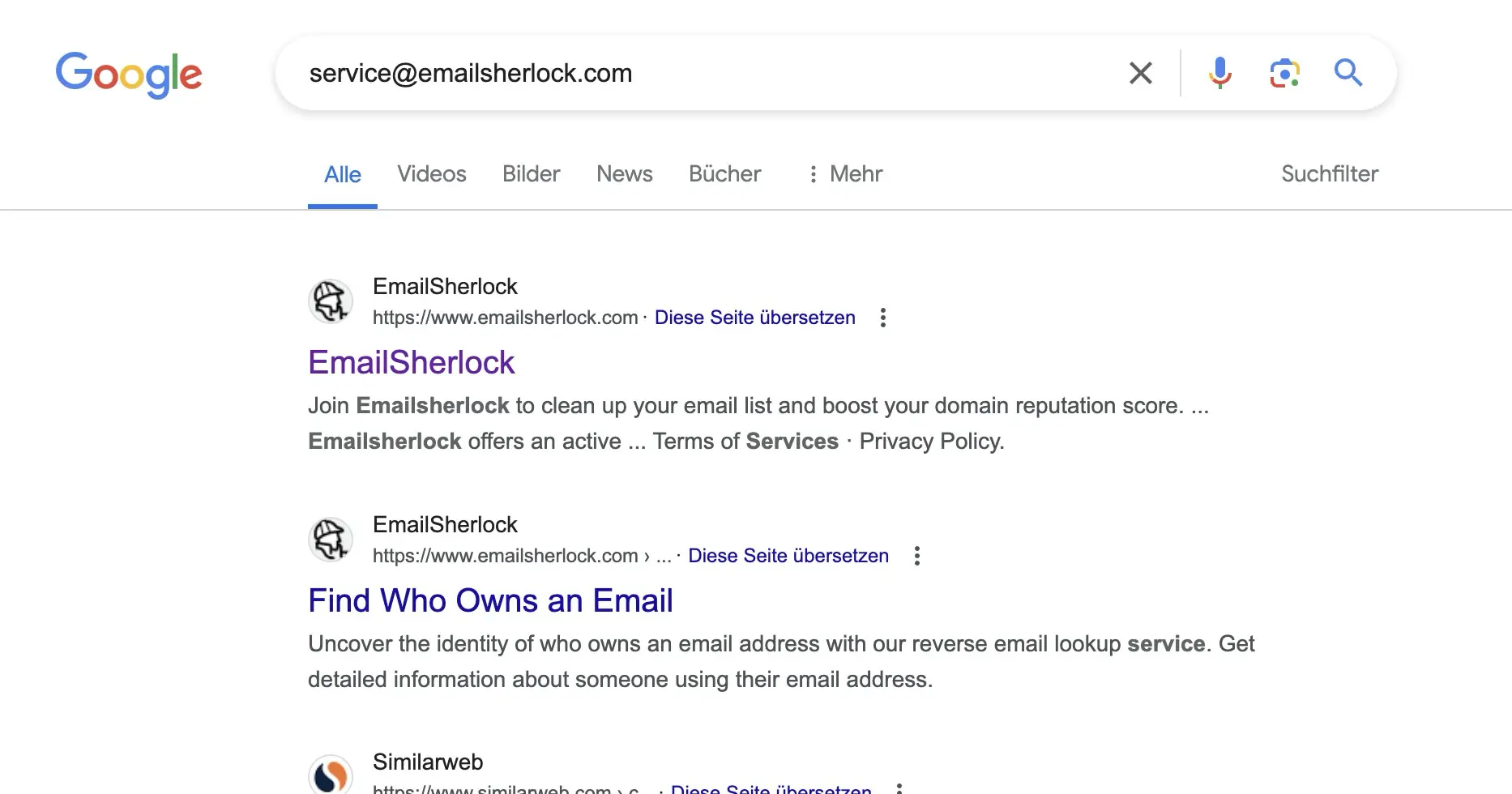
Google often returns not only the name but also the company and a LinkedIn profile in the same result. The Images tab sometimes adds a face.
2. Google Account name lookup
Open a Google Sheet, paste the address into a cell, hover. If the address belongs to a Google account, the tooltip reveals the account holder's name.
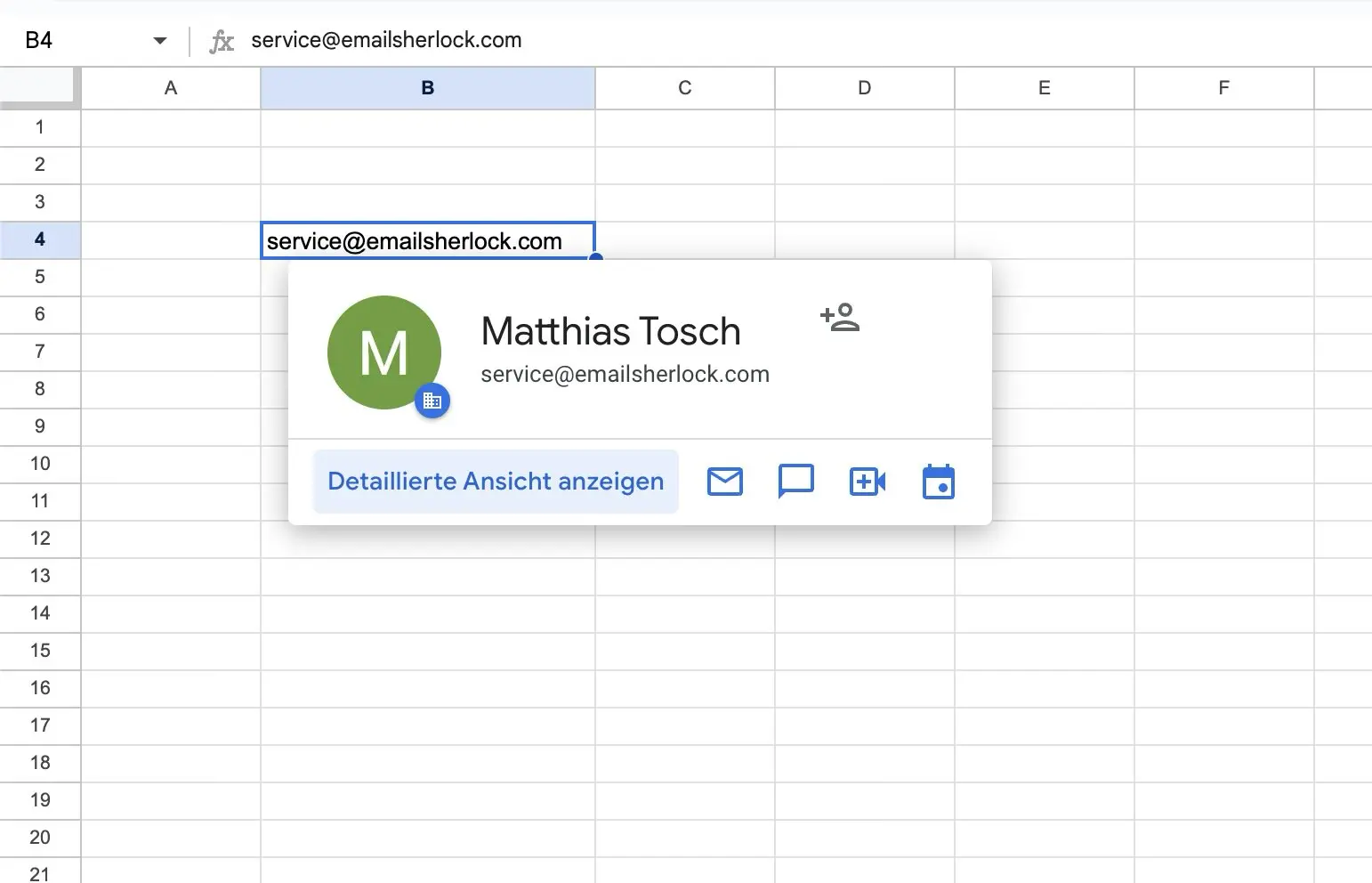
From the name a normal Google search lands you on the LinkedIn profile in two more clicks.
3. LinkedIn
LinkedIn is the strongest source for professional email addresses. With over 900 million members it covers most office workers in the developed world. Paste the address into the search bar; if the network has matched it before, the profile shows up.
When the address is in the company.com format, the trick is to guess the naming pattern (firstname.lastname, flastname, etc.) and search by name instead.
4. Facebook
Facebook indexes private addresses if the owner left them public on their profile. Paste into the Facebook search bar. Hits are rare but high-signal: if Facebook returns a profile, the address is current.
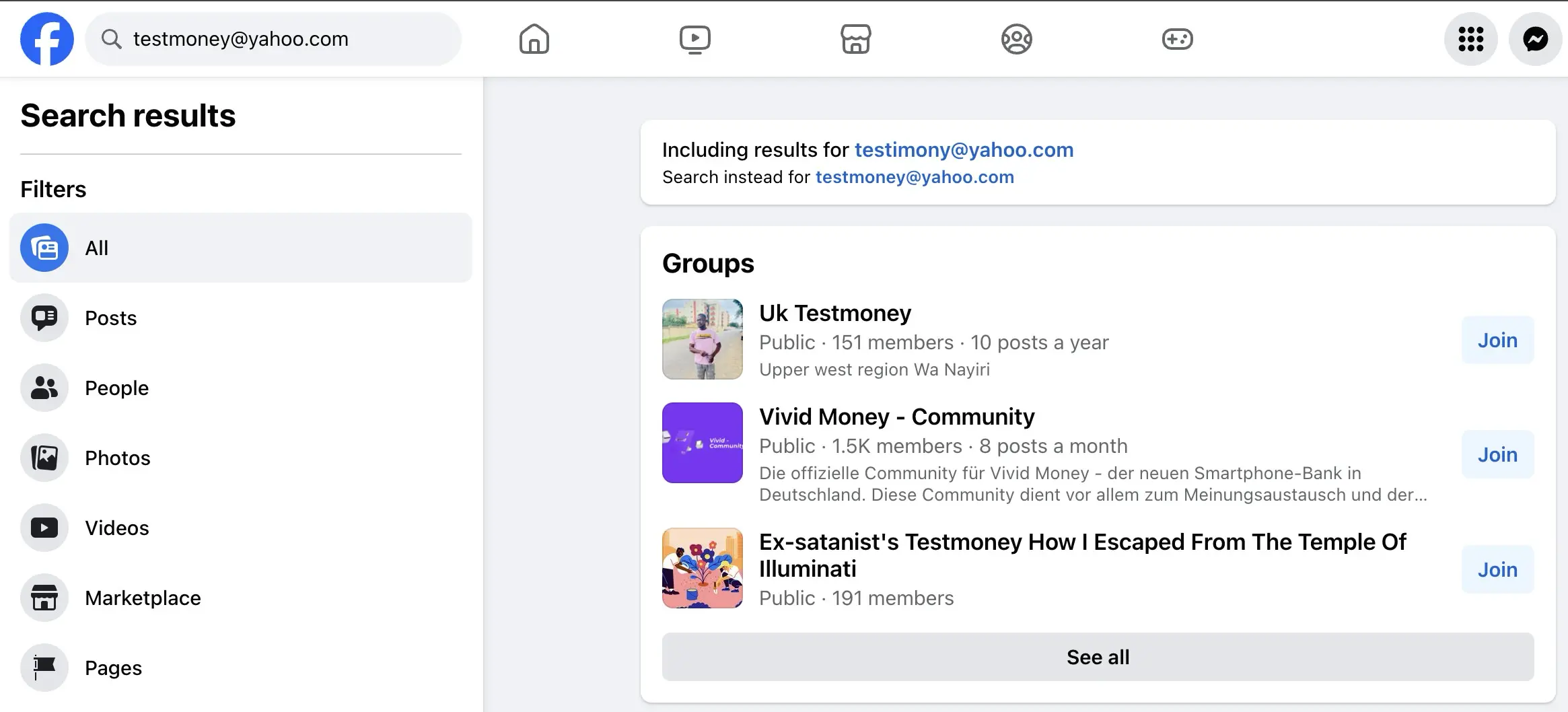
Facebook is better for personal addresses; LinkedIn is better for professional ones.
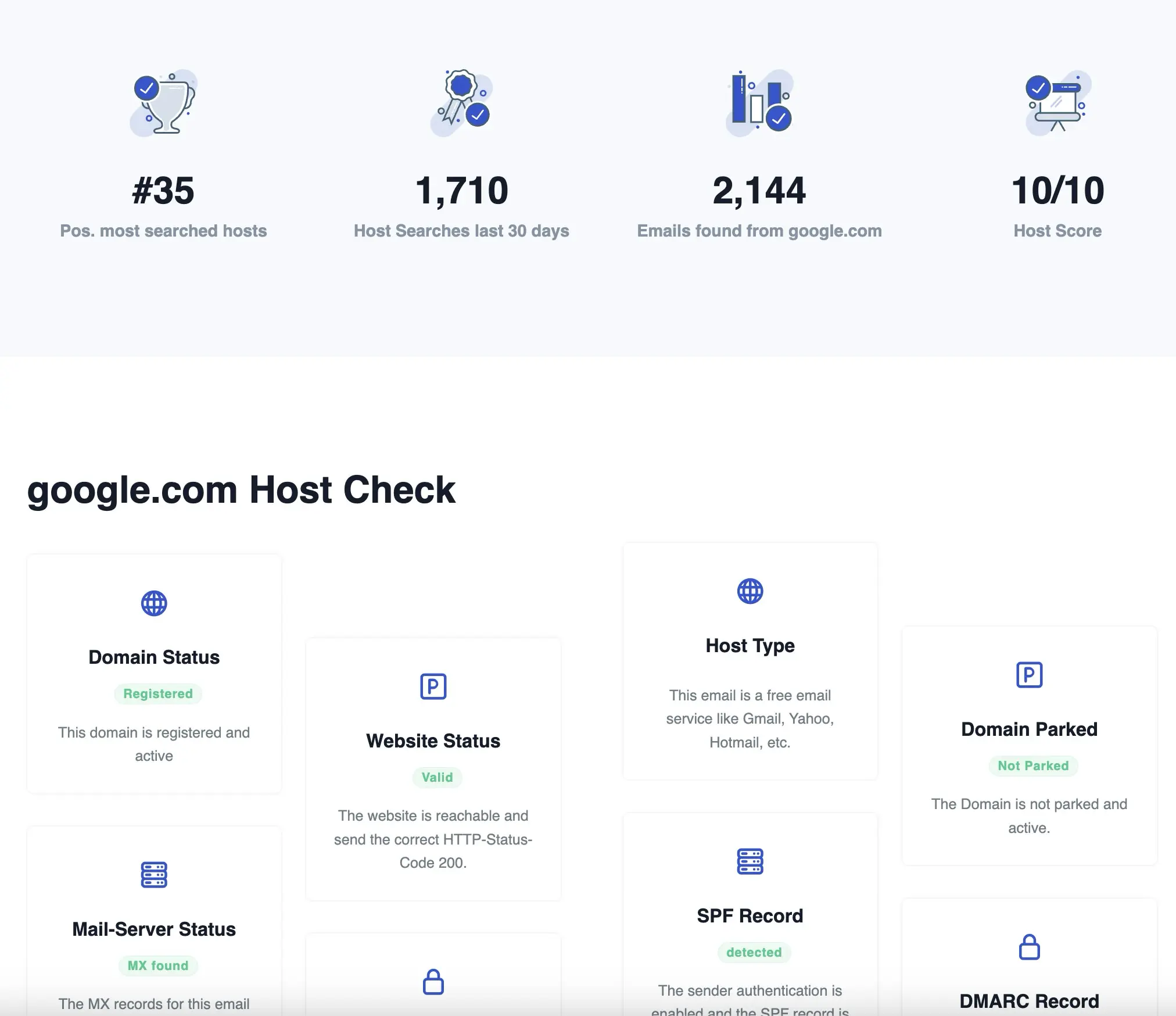
5. Domain checker
For company addresses, the right place to start is the domain itself. Our domain checker shows the registrar, the registration and expiry dates, the DNS posture and whether the domain is parked or live. Inconsistencies (a "law firm" registered last week on Namecheap, no website, no MX) are a strong scam signal.
6. ICANN lookup
ICANN's WHOIS lookup gives the same domain registration data as our checker, with one caveat: registrars are allowed to redact owner contact details, and most do for privacy. Useful as a second source.
Reverse email lookup by provider #
Each freemail provider exposes different metadata. The lookup form above works for any address, but the signal you get back depends on where the mailbox lives.
Gmail
Gmail addresses are the most-searched group on Emailsherlock. Google indexes most public Gmail addresses through Google Sheets and Gmail account linking, so name resolution works well. Our report adds host trust score, freemail classification and any spam reports linked to the address. For deep host data, see the Gmail host page.
iCloud and Apple Mail
iCloud and @me.com addresses are harder. Apple does not expose account-holder data through public APIs, and iCloud's "Hide My Email" relay system mints throwaway @icloud.com aliases that mask the real address entirely. A reverse lookup on @icloud.com therefore tends to return little personal data and a clean host reputation, which on its own tells you little about who sent the mail.
Yahoo Mail
Yahoo, AOL and Verizon addresses share Yahoo's mail backbone. They tend to be older accounts with longer footprints; the social trail is often richer than for a fresh Gmail. Our report identifies the freemail class and the underlying host reputation.
Outlook, Hotmail and Live
Microsoft consolidates outlook.com, hotmail.com, live.com and msn.com onto the same backbone. The host trust score and DNS posture are the same across the four. Name resolution is weaker than Gmail because Microsoft does not surface account holders through Google Sheets, but the address can still be matched against social profiles.
AOL, ProtonMail and other providers
AOL is a Yahoo property; the same caveats apply. ProtonMail addresses are by design opaque: ProtonMail does not require a recovery email, and the encryption story actively discourages metadata exposure. The lookup will tell you the host is privacy-focused, not who the user is. For any other provider, our report still returns host reputation, DNS posture and any spam reports on file.
Find social profiles and accounts by email #
"Whose email is this" usually translates into "show me their social profiles". An address attached to LinkedIn, Facebook, Twitter, Instagram, Pinterest, Quora or GitHub leaves a tag we can match. The lookup pulls those matches into one view so you do not have to paste the same address into seven different search boxes.
Profile resolution depends on the user's privacy settings. Most networks let members hide their address from search; we surface what is left visible and tell you when there is nothing to find.
For username-style searches, the local-part of the address (everything before the @) is often the same handle the person uses on other networks. Once the lookup gives you that local-part, a quick search on Reddit, GitHub or Stack Overflow with the same handle frequently fills in the rest of the picture.
How reverse email search works #
Reverse email search is keyword search with a twist. A normal search engine takes a name and returns pages. A reverse engine takes an address and returns the network of references that contain it.
We index a database of billions of addresses, sourced from public crawls, partner data and our own user submissions. When you submit an address, we match it against that index, fetch the associated metadata and combine it with a live check of the host's DNS posture, blacklist status and authentication setup.
The database grows every time someone runs a public lookup. That includes the searches our own users have run in the last few months. If your address appears in our results because someone else looked it up, you can remove it via the opt-out tool.
When to use a reverse email lookup #
Two main groups run lookups, and they want different things from the same report.
Private users
Most consumer lookups are about confirmation. An unknown address shows up in your inbox claiming to be a recruiter, a buyer or a long-lost relative. A lookup tells you whether the address is real, whether it has been used before for spam or scam reports, and whether the social profile matches the story.
Business users
Sales and ops teams use lookups to clean mailing lists, verify identity before extending credit, and spot fraudulent orders before fulfilment. A clean contact list also costs less to send to: most ESPs price by recipient.
Reverse lookup from your browser #
If you triage email all day, the third path is a browser extension. Our extension reads the address you are looking at on any page (Gmail, LinkedIn, your CRM) and pops the lookup result inline, so you do not have to copy-paste between tabs.
See the Chrome extension page for install and feature details.
Email blacklist check #
A blacklist hit on the sending IP is the first hard signal that the address is part of a spam pipeline. Blacklists score IPs, not addresses, so for freemail providers (Gmail, Yahoo) the check tells you about the provider's overall reputation rather than the individual mailbox. For company domains it lights up immediately.
Every Emailsherlock lookup includes a blacklist scan against the major DNSBL providers and several open-source feeds. Use the standalone blacklist tool to check an address or IP directly. Want to verify your own sending IP first? The My IP tool shows the public IP your connection is on.
Our approach to email lookups
Every lookup gets a single trust score that rolls up the public footprint, the host reputation and the technical DNS check. Different sources contribute different evidence; the score is the consolidation, not a black-box opinion.
We complement the public-data side with a live technical scan via our DNS lookup tool, which tracks the technologies the email host runs. That gives us an objective read on the trustworthiness of the host itself, independent of any spam history.
Privacy matters. If you want your address removed from our index, the opt-out tool handles it. For the bigger picture, see our guide on how to remove personal information from the internet.
Most-searched email hosts of the last 7 days #
| # | Email host | Type | Share |
|---|---|---|---|
| 1 | gmail.com | Freemail | 28.54% |
| 2 | k1ng_420 | Freemail | 17.2% |
| 3 | yahoo.com | Freemail | 3.54% |
| 4 | hotmail.com | Freemail Company | 2.52% |
| 5 | example.com | Custom | 2.01% |
| 6 | mail.ru | Freemail | 1.44% |
| 7 | outlook.com | Freemail Company | 1.12% |
| 8 | musicstore.de | Custom | 1.06% |
| 9 | aol.com | Custom | 0.97% |
| 10 | yandex.ru | Freemail | 0.96% |
Snapshot Jun 21, 2026 00:00. Open the last-30-days host list.
FAQ: reverse email lookup #
01 What is the best reverse email lookup?
For your specific field of data, the best provider is the provider with a data set for the person you are searching for. We prepared a List of our Top 3. Start your own search and select your own "best provider"
02 Can I look up someone by email?
Yes, there are several services to search for somebody by Email Address. In most cases, it's extremely hard to reverse-search somebody because there are a lot of data points involved.
We recommend using a service provider for email reverse search. These services charge a small fee.
03 How do I look up an email address?
You can start your reverse search by googling the email address. In some cases, you will find the first results with that technique. Especially for private email addresses you won't find results on Google.
In that case, you can use a service provider in that Area. Often the services have a fee. But you will receive your information.
04 Does reverse email lookups really work?
The service provider searches the internet and social networks for data. They search for relations between email addresses, phone numbers, and names. That means that the service provider is dependent on the good quality of their own database.
In many cases, you will find additional data when you use the service provider email lookup provider. But not in each and every case. Good Providers will tell you up-front if they can offer data for your request.
05 Is Reverse Email Lookup Free to Use?
As a first indication you can use our emailsherlock lookup for free. But for a deeper look into the data, we recommend our partner Spokeo.
As far as we know no provider offers the reverse search for free. Building massive databases to offer email reverse searches takes a lot of effort. That's why there is no free service.
06 How does Reverse Email Lookup differ from Reverse Phone Lookup?
Reverse Phone Lookup searches for a person's identity using their phone number. This search involves looking for specific information about the owner of a phone number. This includes their name, address, and email address. Sources can include public records, social media, and other online sources.
07 Can I use Reverse Email Lookup to find someone's current address?
Yes, you can use Reverse Email Lookup to find someone's current address. Search public records and other online sources. This may help you locate the owner's current address related to their email address.
08 How do I evaluate the quality of an email address for a reverse email lookup?
When evaluating the quality of an email address for a lookup, you need to consider several factors. Consider the age, domain, and verification of an email address when evaluating its reliability. All these are important in determining the reliability of the email address.
A reliable email lookup service must have a strong evaluation system to check the quality of email addresses. This guarantees the accuracy and dependability of the results.
09 How can I find information about someone with just an email address?
You can use Reverse Email Lookup to find information about someone with an email address. You can find someone's name, address, phone number, and social media profiles by checking public records and online sources. Additionally, you can discover other public records associated with their email address.
10 How do I do a reverse email lookup for free?
11 What is the best free reverse email lookup tool?
12 Can I reverse search a Gmail address?
@gmail.com address relies on whatever the owner has linked to it on social networks, forums and websites. The trust score and spam history still apply: we track Gmail addresses in our database the same way as any other host.